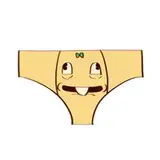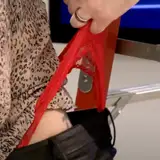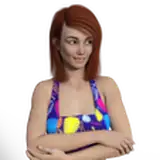
There's a lot of hoodies and sweatpants but lots of people have requested jeans and I wanted to have an excuse to make some dumb t-shirts. I hope you like these :> I'm quite proud of how nice they came out.
The shirt is ready for summer or fall vibes with a toggle-able under shirt :> more textures are incoming and they'll be released as add-on packs!
Setup with VRCFury for easy drag and drop installation onto your avatar of choice which are all included in the same unity package :3
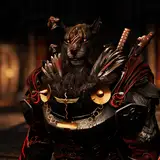
v1 : Supports Nardoragon, Rexouium 1.6, 1.7, Magpie mod, Novabeast, Hyenid and Screenwave Neo :>
All materials are made with tint masks so that its very easy to customize!
If you want to support what I do consider buying one of these which comes with 10 preset materials!
More to be added in the future!
• Public avatars: Allowed
• Commissioned avatars: Allowed(if both people own the asset)
• No Commercial license. You can NOT include my assets in your Unity packages• By purchasing this, you agree to NOT to share the files with anyone that has NOT bought the asset, that's piracy.
• Do not promote hate.
No refunds will be honored for this product. This is a digital asset, on purchase you receive access to the files immediately and those files can then be copied in a way they cannot be returned.
This is a digital asset.
Additional Credits:
Supported Avatars : Rexouium, Nardoragon, Hyenid, Screenwave Neo, Novabeast
This asset uses VRC Constraints which are new! It will not work without the latest SDK!
Thank you for supporting me!
Hey thanks for checking out this clothing set and opening the instructions! I appreciate your support and glad you’re here. :3
Stuff you need for this to work:
Before importing the unity package included in the purchase ensure you have installed Poiyomi toon 9.2 or greater and VRCFury.
https://www.poiyomi.com/download/
All of the content is located at Assets/Blizz/Casual Clothing/…
Inside there you’ll find a folder for each supported base as well as a Materials folder where all of the material presets are located.
The clothes are setup to not need any further setup to work in game! See below for customizing.

This isn’t the only way to do this but it's pretty quick to setup
Inside Assets/Blizz/Casual Clothing/ There is a prefab called
“Material Swapper Example” drag that onto your avatar.
Select that object on your avatar right click it and select Prefab -> Unpack
If Unity warns you that “Unpacking prefabs is an outdated recommendation!!” select “I don’t care, Unpack Anyways (Not recommended)” I wont tell if you wont.
You now need to edit this VRCFury toggle to work. It looks like a lot but it's relatively simple.
Menu Path is where the texture radial will show up in the menu.
It should look like ‘Path/To/Radial’ where ‘/’ creates submenus.
Leaving Passthrough unchecked will cause the first page to be applied by default.
Pages represent each stage of the animation. You can add extra pages with the second ‘+’ from the bottom and selecting ‘Material Swap’
Each ‘Material Swap’ Must have the object you want to swap the material of in the ‘Renderer’ slot and the Material you want to change to in the ‘Material’ Slot.
Ensure you also select Options at the top and enable ‘Saved between worlds’ if that behavior is desired.