You're probably sick of these posts by now so I'll try to wind it up here.
The collar and tie: I have turned off the line layer for the collar so I can paint textures to replace the lines.

I selected the collar and used a scratchy brush to paint a fat texture in the middle of each side.

I added thin brush lines to the edges of the collar to give it some thickness.

I made the stitches by first drawing bold lines inside the collar.

I used the eraser tool to cut gaps in the lines and then changed the color of the stitches.

Next I selected the stitches layer and applied a stock photoshop FX to them. I chose 'Bevel' and 'texture'. 'Bevel' embosses the layer and gives the illusion of depth.

Now on to the tie. I turned the line layer off to start. The tie group has 3 layers. One for the bow, one for the center tie and one for the dangling bits. I render each layer separately.


Some final details. I fatten the eyelashes to make them thick in the middle and thin on the ends.

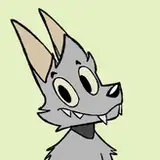
I make 2 layers for the teeth textures: one for the outline and another for the individual teeth lines.

Using some of the painting techniques I've already described I render the ears.

I render the mouth muzzle area.

And it's done!

Please if you have any questions about any of the steps let me know in the comments and I'll address them.