DoujinStars
lotusbubble
lotusbubble

patreon


How To Paint Skin! 🎥✨

Happy Friday everyone!! 💖

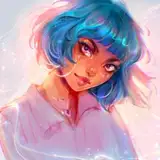
Finally finished! ☺️ Here is the March tutorial video: How To Paint Skin! ✨ In this video I show you guys my process of painting skin in Procreate, although the same techniques can be used in any program you use! I hope you all enjoy it 🙈 thanks so much to everyone who voted on this topic this month!! Get yourself a blanket and a snack and enjoy! 💛

For those of you in the $5 tier, be sure to check out the new process video I posted for this character! And for those of you in the $10 tier, be on the lookout for the lovely layered PSD I will be posting soon! 🥳✨

Stay tuned for today’s Feature Friday post!! I’m sharing some sketches 💖

Love,

Lydia✏️


How To Paint Skin! 🎥✨

Comments

Great question! They’re all normal layers, one above of another! No clipped layers or anything :)

Lydia Elaine

one question :0 all the layers are clipping others , or it's just one above another layer :0?

Joghis

Yay! Have fun!! 🥰

Lydia Elaine

im gonna try to color skin just as u explain. it'll be fun cause my process is so much different than urs❤❤

Aadishri Soni

Wow this was amazing!! Would love to see another tutorial like this ❤️

Sophie Jarot

Yay!! Have fun and good luck! 🥳💛

Lydia Elaine

Absolutely LOVE!!! I'm so excited to try some of these techniques! <3

Awh I’m so glad it helped you!! 😄💖

Lydia Elaine

this is genius!! I love what I improved on already!! man this changed the game for me!

I’m so glad you find it helpful! 💖 My goal is definitely to make things simple and useful, so I’m glad it’s successful! ☺️ best of luck to you in trying out the techniques!! ✨

Lydia Elaine

Your content is always the best Lydia, simple and clear, it really shows all your effort also in creating something easily useful for everyone. I'm definitely gonna try the coloring on grey scale technique and some of the brushes you are suggesting!..Take care and have a great day <3

Sara Rebecchi

So happy you found it helpful! 💛Textures are definitely one of my favorite parts of the process, I sometimes add them a little too soon as well because it’s so fun! 😂

Lydia Elaine

Great question! 💖 usually I make another layer set to overlay, and select a pale blue color to paint over the white parts of the eyes to make them look less skin-colored like the rest of the face :) hope that helps!

Lydia Elaine

Hehe hope you enjoyed it!! Thanks for your patience! ☺️💖

Lydia Elaine

Thank you! I love how you add the textures after you get the values and colors in place. I try to start with textures too soon and get lost in that a bit.

Brittani Harris

I would like to ask how we can make the white area of ​​the eye a little bit closer to white, because when I do it in grayscale the eyes look a little monochromatic (with the color that i use in multiply)

rangelszrangel

Yesss, I've been waiting for this!

Fay Evini

Oops! I meant to say that this character’s PSD will be posted soon, hehe I posted a different PSD a few days ago! 🙈

Lydia Elaine

Thank you so much for this tutorial, but I don't see the Psd file anywhere? 💖

yess! You can see my other tutorial for more details about that process if you want! Good luck! 🥳💛

Lydia Elaine

Yay!! Enjoy! ☺️💖

Lydia Elaine

Waa should try gray scale to 🤩💖💖 I ll test it

Chrissu

yaayayayay i was waiting patiently for thiss!!

Blueabella


More Creators