Happy Monday everyone! 💛 I hope you guys are having a lovely start to your week ☺️
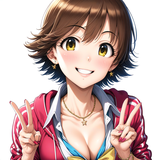
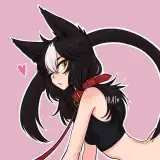
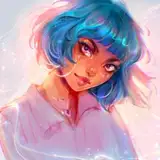
Right now I’m sitting in a coffee shop doing some sketching and I wanted to show you guys what I’m working on! 💌 A while back I sketched a character design and I like her aesthetic, so I wanted to work on a more detailed version of her 🥰 She likes to wear comfy baggy clothes and I imagine her having a shy personality ✨
I’ve put the steps of the sketching process below so keep on reading for a little description of each step! 💌

Loose Gesture: This part of the sketching process was all about capturing the rough essence of the character and playing with the pose in the composition. It’s a very vertical pose that runs down the center of the canvas pretty evenly, so I sketched her hair in an asymmetrical style on the sides of her to disrupt the symmetry a bit. At this point the goal isn’t to make things look pretty & perfect; instead, it’s just about searching & exploring for the look that I want! I chat more about imperfect sketching in this month’s draw with me video ✨ Brush: Edge Control by Jingsketch

Refining the Sketch: I lowered the opacity of my rough gesture layer and now I’ve created a new layer on top to begin refining the sketch, using thinner lines for more precision. I love this step because it’s almost like tracing on top of the rough sketch, while correcting things that look off and giving the sketch more form and shape :) Brush: Marker Multiply by Max Ulichney

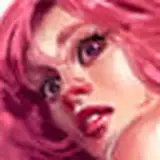
Adding Shadow & Detail: On a multiply layer, I’ll use the Marker Multiply brush to shade some portions of hair to create shine. I’ll also use this layer to create some hard shapes of shadow to create contrast in the drawing. For hard shadow, I’ll usually look for areas around the drawing where it seems like a hair clump is resting on top of something, and then shade under it — this helps create a 3-dimensional feel! ✨

Little Highlights: For this step all I did was add some little highlights to the eyes! I like to make the eye highlights intersect the iris and the white part of the eye to give it a more natural look ✨

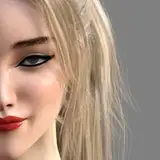
Final Touches: For the final touches I merged everything onto one layer and then adjusted the overall color palette in Curves to be slightly red, which warms up the drawing since the gray palette looked kind of cold. Then I sharpened the drawing by 10%, and added some chromatic aberration! And DONE ✏️✨
Now is when I’ll get started on the coloring process! 🥰 The character usually wears a combination of blue and red, so I’ll be brainstorming how to use those shades ✨ I also want to add some golden illustrative stars around her to give her sort of a daydreamy look, we’ll see how it goes 😌
I hope you guys are having a lovely day so far!! I’m about to head home and continue working on some editing stuff for the august studio vlog 🥰 Stay safe & cozy everyone!💛
Love,
Lydia 💌
MintyCoast
2021-09-13 21:48:57 +0000 UTCLydia Elaine
2021-09-13 20:51:29 +0000 UTCMintyCoast
2021-09-13 19:57:16 +0000 UTCLydia Elaine
2021-08-19 16:05:23 +0000 UTCLydia Elaine
2021-08-19 16:04:14 +0000 UTCLydia Elaine
2021-08-19 16:03:57 +0000 UTCLydia Elaine
2021-08-19 16:03:41 +0000 UTCLydia Elaine
2021-08-19 16:02:59 +0000 UTCliliyth
2021-08-17 08:21:07 +0000 UTCKimberley
2021-08-17 08:17:24 +0000 UTCDevotionart
2021-08-16 22:53:41 +0000 UTCLydia Elaine
2021-08-16 21:08:17 +0000 UTCLydia Elaine
2021-08-16 21:07:41 +0000 UTClilygrace_draws
2021-08-16 21:00:57 +0000 UTC