Catharsis??? - Commented process and original files
Added 2022-01-06 18:25:37 +0000 UTC
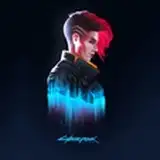
Hey there! In this post I'll be talking about this artwork.
First of all, I think the best way to start with this is to talk about the inspirationbehind it. Take a listen to this playlist: https://youtu.be/Or7iZTdz5T4?t=555
I just started playing Splatoon for Wii U like a week ago and I don't exaggerate when I say that this is one of the most fun games I've played. I'd like to talk about everything I like about it, but the most important thing this time is that it was the MAIN inspiration for this artwork, in a moment of creative block.

So well, I started with the sketch. Unfortunately, I don't have all the sketches, but this one was the final who I liked the most. I'd highly recommend to make some fast sketches of the same feeling/idea, and then refine it at the end!

Here I continued refining the sketch with a... semi-line art? I tend to use the pencil or a fine-line ink brush, but I wanted to play more with the pressure this time. I also kind of played with the flow and speed when I used the pencil. Depending of the moment, it could be like a calmed or a furious sea wave! It's the best analogy I have on hand.


Here's the line art, color and basic shading. Not much to say about that. Except that I think it was not enough to represent this crazy feeling.

I remembered this technique called "chromatic aberration". I think it would look cool, so I applied it to my drawing. It's kind of simple to do it, but by now I can't explain it. There are tutorials at YouTube that might be useful for you.

Here it is how it looks!
Now I wanted one more thing: the pattern.
I love this comic/manga shading effect. Now; combined with this worn-out effect, it would look even more... how to say it, energetic? Well, I'm not the best with words, that's why I draw, haha!

(sorry but I couldn't upload a gif or mp4 here, but you can look at it in this link)
But following with the process; I selected the shading area (I Ctrl+click'd the shading layer); and then I just used this pattern tool in Clip Studio Paint. Don't worry, you can create your own pattern in Photoshop and repeat the process.

Then I just erase the outside parts in case of errors when it comes to the selection tool.
And finally I applied the same process in the background. I used a custom brush to create this worn-out stains.
And finally we got this result! :D
Hope you enjoyed this behind-the-scenes and hope it will be helpful for you some day. :)