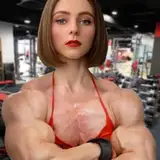
This is a simple tutorial on the steps you could follow if you want to make a type 3 morph. This method is simple to follow and has great results:
1. Individual muscle selection. You dont need to select exact anathomy muscle groups, just a general selection of the muscle visible in the image. Try to keep each muscle in a different layer. This is the general order the layers should be, but might vary with each image -> Shoulder, bicep, tricep, forearm. Again, feel free to re-order them according with your image.
2. Individual muscle morph projection. Draw how big would you like the muscle to be. Do it for each muscle, follow the shape of the original muscle to keep it realistic, but again, feel free to do it as you wish.
3. Individual muscle morph, fill projection. Here is the fun part! Using the wrap tool (recommended) or the bump tool, fill the projected drawing with each muscle. Here is when you can play around with the order of the layers, to make it look realistic.
4. Added details. Add shadows where the new muscles meet, and slightly erase the border of all the muscles to make them look as sharp as the original. A hard erraser at a low opacity works best.
5. Done!! Feel free to take your time, and to add extra details as you wish. Image 5 is a tier 3 Patreon exclusive.
extra: why use this method. Reasons explained in the image
Feel free to share your morphs for feedback and any questions I will be happy to answer them


















![Rukawa [ルカワ]](https://doujinstars.com/istorage/107910.jpg)